

.png?width=1252&height=362&name=QUID_Logo_WHITE%20(2).png)
.png?width=1380&name=PRODUCT%20RELEASES%20(1).png "<span id=\"hs_cos_wrapper_name\" class=\"hs_cos_wrapper hs_cos_wrapper_meta_field hs_cos_wrapper_type_text\" style=\"\" data-hs-cos-general-type=\"meta_field\" data-hs-cos-type=\"text\" >Product Release: Pushing Datasets from Monitor to Terminal</span>")
Product release
You built the topic. You checked the terms, tuned the date range, validated the results, and confirmed it captures the conversation you care about. It works.
Now you want to ask questions of it in a different part of the platform, and the answer used to be: submit a request and wait, while someone rebuilds your validated work as a separate thing.
That is no longer how it goes. Monitor users can now publish their own Topics and Analyses into Terminal as datasets themselves, in a couple of clicks, immediately usable by their whole team.
Quid is a consumer and market intelligence platform. We compliantly ingest more than two petabytes of data through direct partnerships with social, news, broadcast, search, patent, and investment sources, including Meta, Reddit, TikTok, and YouTube, alongside your own data such as customer feedback, NPS, and support tickets. Twenty years of proprietary natural language processing makes it analyzable.
Two parts of the platform matter for this release.
Quid Monitor is where you define and validate what you're tracking. A Topic specifies the conversation you want to follow: the terms, the sources, the languages, the date range. An Analysis is a saved cut of that data. This is precision work. You iterate on a topic definition until it captures what you mean and excludes what you don't.
Quid Terminal is where you question data in plain language. Ask Q takes a question ("what are people complaining about most in this category?") and returns a grounded answer sourced from the live dataset. Q Agents are pre-built agentic workflows that monitor a dataset for the signals you define and produce a finished Insight Brief on a schedule or by trigger. Both of them run against an AI dataset, which is a defined body of text organized around a specific business question.
The gap this release closes is the one between those two. Careful definition work happened in Monitor. Question-asking happens in Terminal. Getting from one to the other required a person in the middle.
Previously, making a Monitor Topic or Analysis available in Terminal meant asking the Quid team to add it as a separate dataset. Two costs came with that. The obvious one was waiting. The subtler one was duplication: your already-validated definition got rebuilt as a distinct dataset rather than flowing straight through, which means two things existed where there should have been one, with all the drift that implies over time.
Now the person who built the topic publishes it themselves. Their work becomes a Terminal dataset directly, and their whole team can interact with it.
Build and validate in Monitor. Nothing changes here. You create a Topic or run an Analysis as you normally would and confirm it produces the results you want.
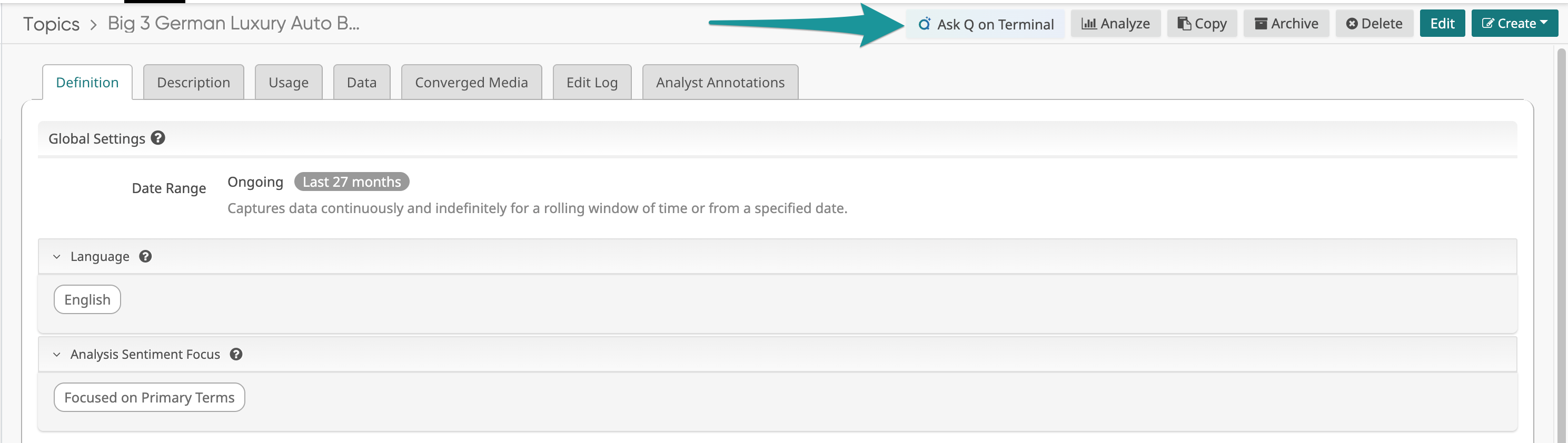
Publish it to Terminal. Click "Ask Q on Terminal" on the Topic or Analysis. If you have access to more than one Terminal, you pick which one to publish to first, and that becomes the dataset's base Terminal. You can add it to additional Terminals afterward from within Terminal itself.
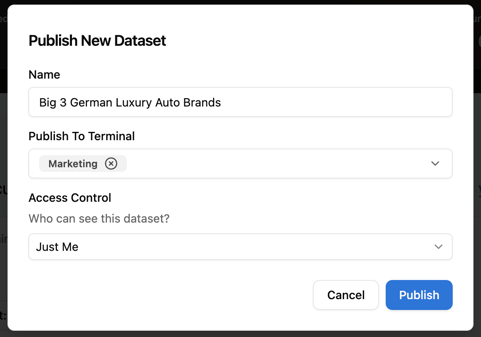
Name it and set who sees it. You choose the dataset name and the access level. Terminal creates the dataset, links it to you, and shares it according to your preferences.
Terminal writes the description and the example questions. The dataset shows a loading state while this happens. The description lands in about thirty seconds, and up to three example questions follow.
That timing difference is worth explaining, because it is a deliberate tradeoff. Each candidate question gets tested against the actual dataset and is only kept if the dataset can genuinely answer it well. That takes longer than generating three plausible-sounding questions would. It also means the prompts a user sees when they open your dataset work when they click them, rather than producing a shrug. Suggested questions that fail are worse than no suggested questions at all, so this is the right place to spend the extra minutes.
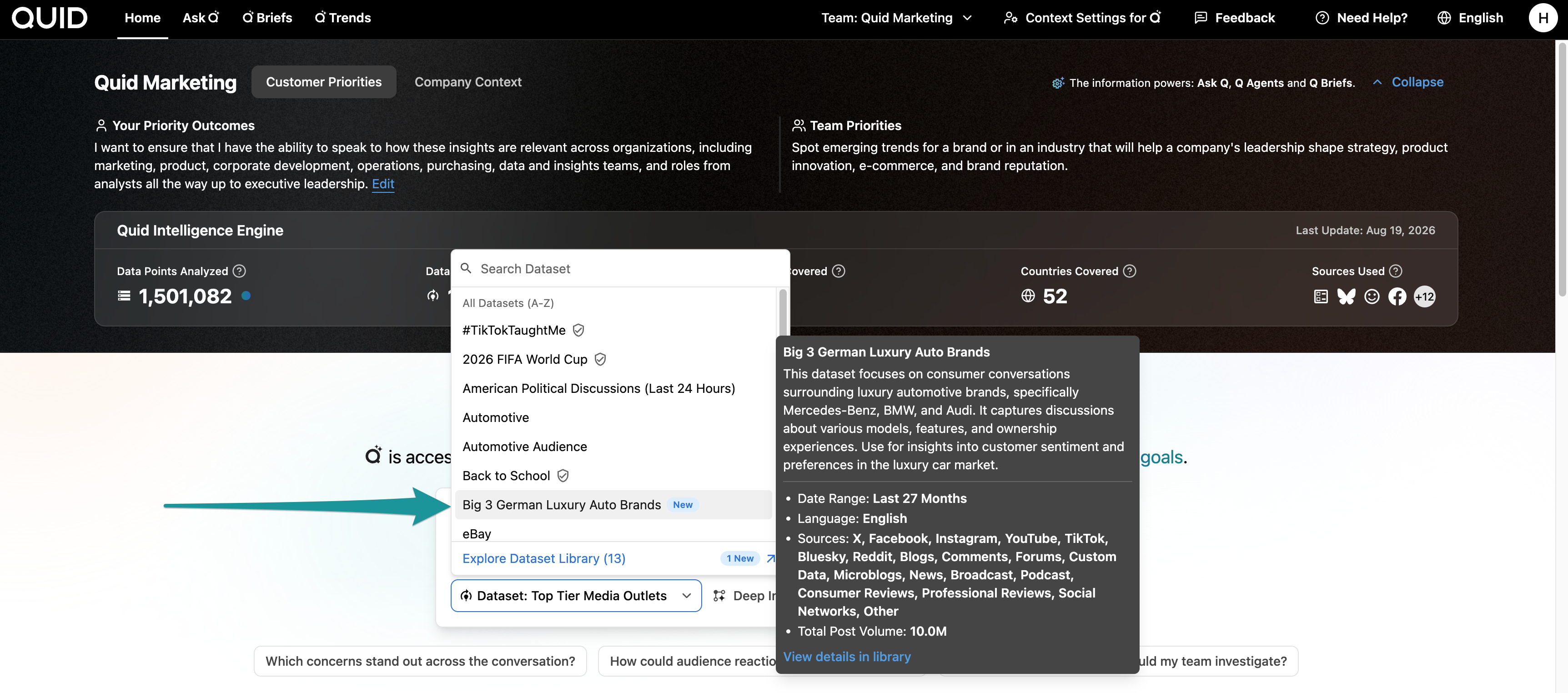
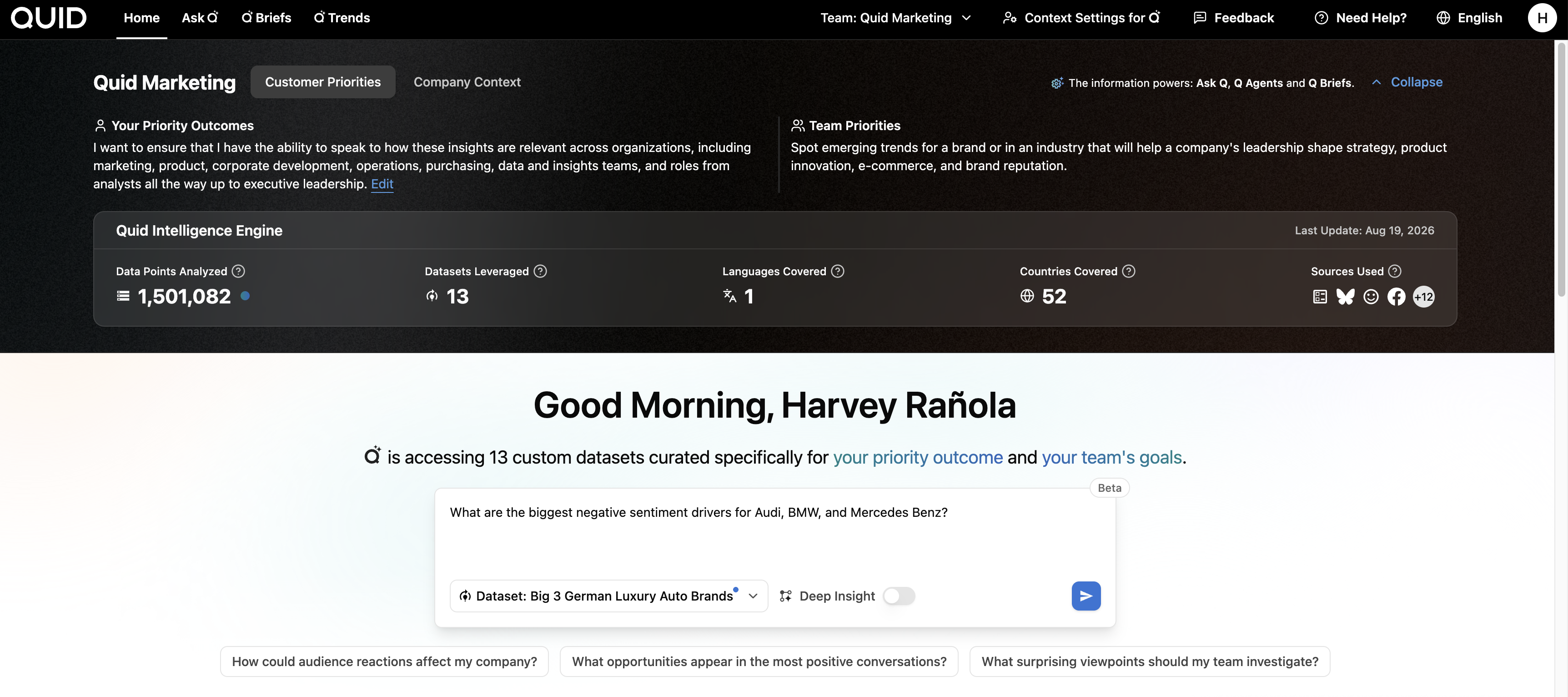
Use it. The dataset appears in the Dataset Library and in the Ask Q dataset picker, grouped alongside Certified and Quid-built datasets and labeled with who created it and where it came from. Anyone on the team can now ask it questions through Ask Q or point a Q Agent at it.
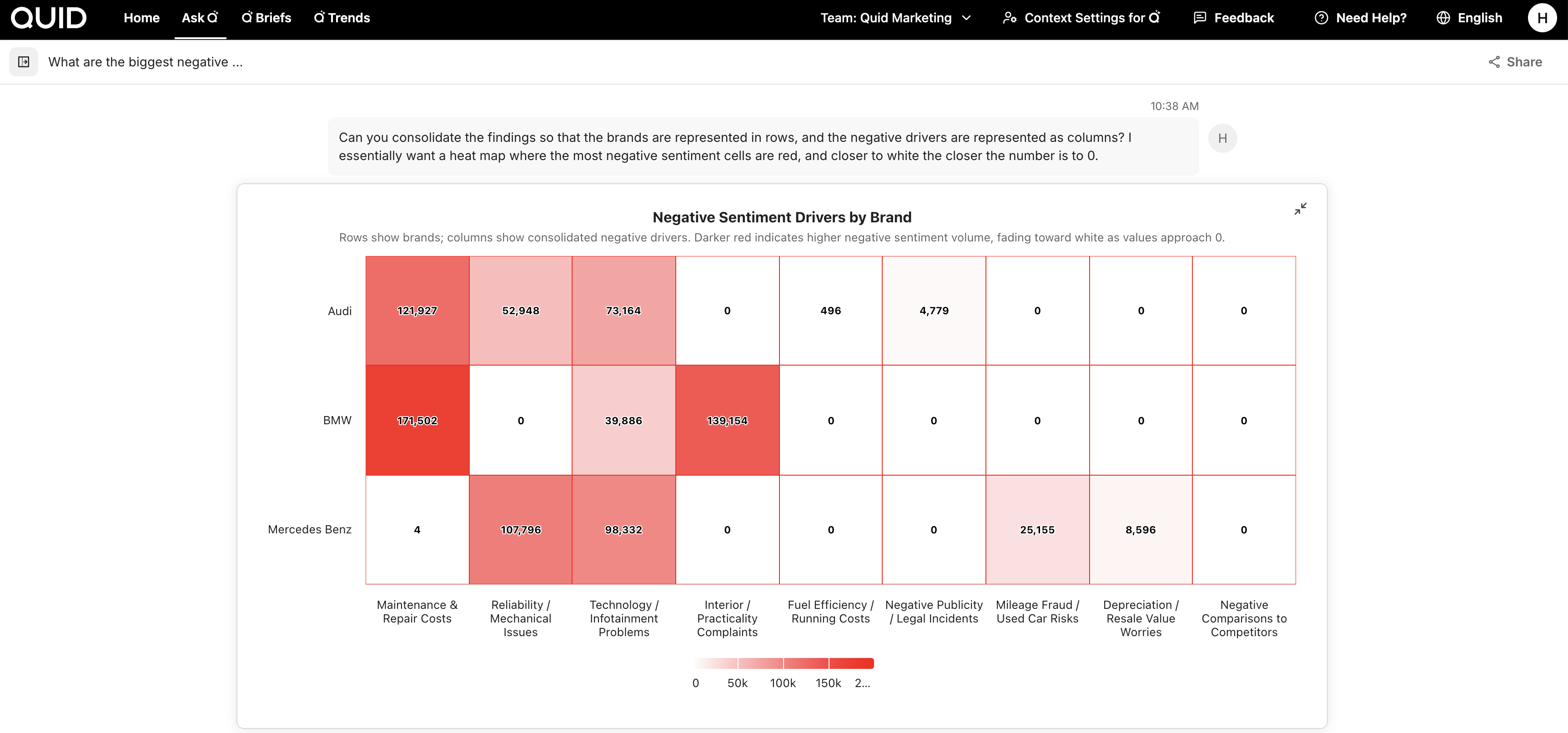
Edit or remove it anytime. Descriptions can be edited afterward from the dataset's settings in the Dataset Library. The creator can remove a dataset from Terminal, with a confirmation step so it doesn't happen by accident. The ability to edit example prompts is coming.
It's a live link, not a copy. The Terminal dataset stays connected to its source Topic or Analysis in Monitor. Edit the underlying definition in Monitor and the change flows through to Terminal automatically. You don't republish to keep it current, which is the whole point: one definition, maintained in one place, usable everywhere.
Monitor tells you before your edits go public. Because the link is live, an edit in Monitor now has consequences beyond your own workspace. So if a Topic or Analysis is already being used as a Terminal dataset, Monitor shows you a notification before you save, letting you know your changes will also be reflected in Terminal. No surprises about a quiet edit turning up on your team's Terminal.
Everything traces back. Each dataset shows its creator, its source type (Topic or Analysis), and a link back to the original in Monitor. If someone asks where a dataset came from, the answer is on the card.
Self-service raises an obvious question. If anyone can publish a dataset, how do you keep a Terminal instance from filling up with half-finished experiments?
Two mechanisms handle that.
A new External Creator role is coming to Terminal. Once it lands, publishing from Monitor to Terminal will be limited to users with Admin, Internal Admin, External Admin, or External Creator permissions. That lets an organization decide which people on its team can create datasets, rather than opening it to everyone with Terminal access. Today all users have creator permission, and it will be managed from Admin.
Alongside that, a per-client dataset limit sets how many datasets an organization can have. Usage warnings appear in Admin as you approach it, and once you reach it, new datasets wait until the limit is raised or an existing dataset is removed. It works less like a ceiling and more like a prompt to clean house, which is generally what a library with too many datasets in it actually needs.
Together they make self-service safe to give people, which is the only way self-service ever actually ships.
There's a pattern in enterprise software where the tool is powerful and the person who understands the question best is the least able to act on it. The analyst knows exactly which conversation they need to examine. They just aren't the one who can make the system look at it. So they file a request, describe their intent to someone else, and wait for an approximation of it to come back.
Every handoff in that chain loses something. Time, obviously, but also fidelity, because the person rebuilding the dataset is working from a description rather than from the thinking behind it.
This release removes the handoff. The person who defined the question publishes the dataset that answers it, and the definition stays theirs to maintain. Combined with the Dataset Library, where these datasets land and become browsable to everyone, the shape of the thing is clear: the data layer belongs to the people asking the questions.
Available in Quid Monitor and Quid Terminal now. Request a free trial to see how it fits into your research workflow.